One builder for everything you put on the web.
Internal tools, customer portals, landing pages, full websites. Fast enough for the team that needs it today. Solid enough for the engineers and security people who stand behind it.
Build it the way you would sketch it.
Drag a table onto the page. Add a chart next to it. Put a button under that. Every piece is designed to sit well beside every other piece, so it looks finished without a designer.
Over a hundred ready-made building blocks
Tables, charts, forms, calendars, file uploads, signatures, and more. All in one consistent style.
Click a value, pick the data
Point a table at your orders or a chart at this month’s revenue. Suggestions show you what is available.
Buttons that do things
Approve, refund, notify, open a form, move to the next step. No code needed for any of it.
Reuse what works
Turn a good screen into a building block your whole company can use. Change it once and it updates everywhere.
From a one-page dashboard to a whole website
Multiple pages, navigation, headers and footers, your own domain. Everything a tool or a site needs to feel finished.
Stuck on a piece? Describe it instead.
Tell the builder what you need added to the page you are working on. It wires the component and the data, then shows you the result. You check it before anything is kept.
It shows its work
Every step is listed as it happens. You always know what changed.
It asks before it removes anything
Deleting or giving access to new data always needs your yes.
Undo, always
Do not like the result? One click and it is gone.
Your AI account, your rules
Connect the model provider your company already approved. Nothing is connected by default.
Add a table of open orders with customer, total, and status. Put a refund button next to it that asks for confirmation.
Done. The table shows open orders with the four columns, and the Refund button asks for confirmation before it runs.
- Added the orders table
- Connected it to your open orders
- Added a Refund button with a confirmation step
- Checked the page renders correctly
Works with what you already have.
Partials connects to your systems where they are. Nothing gets copied, exported, or synced somewhere new.
Your existing systems
The services your engineers already built. Connect once, use everywhere.
Your databases
Ask a question, get a table. Your team never has to write a query.
Your files
Invoices, exports, and documents from the storage you already use.
Credentials are stored once, on the server, and never reach anyone’s browser. Your security team can read exactly how in the documentation.
Engineers do not have to take our word for it.
Every app your team builds is written out as real code in a repository your engineers control. They can read it, review it, and change it with the tools they already use.
- Review changes the same way as any other code
- Edit by hand and load it back into the visual builder
- No lock-in. The code keeps running without Partials.
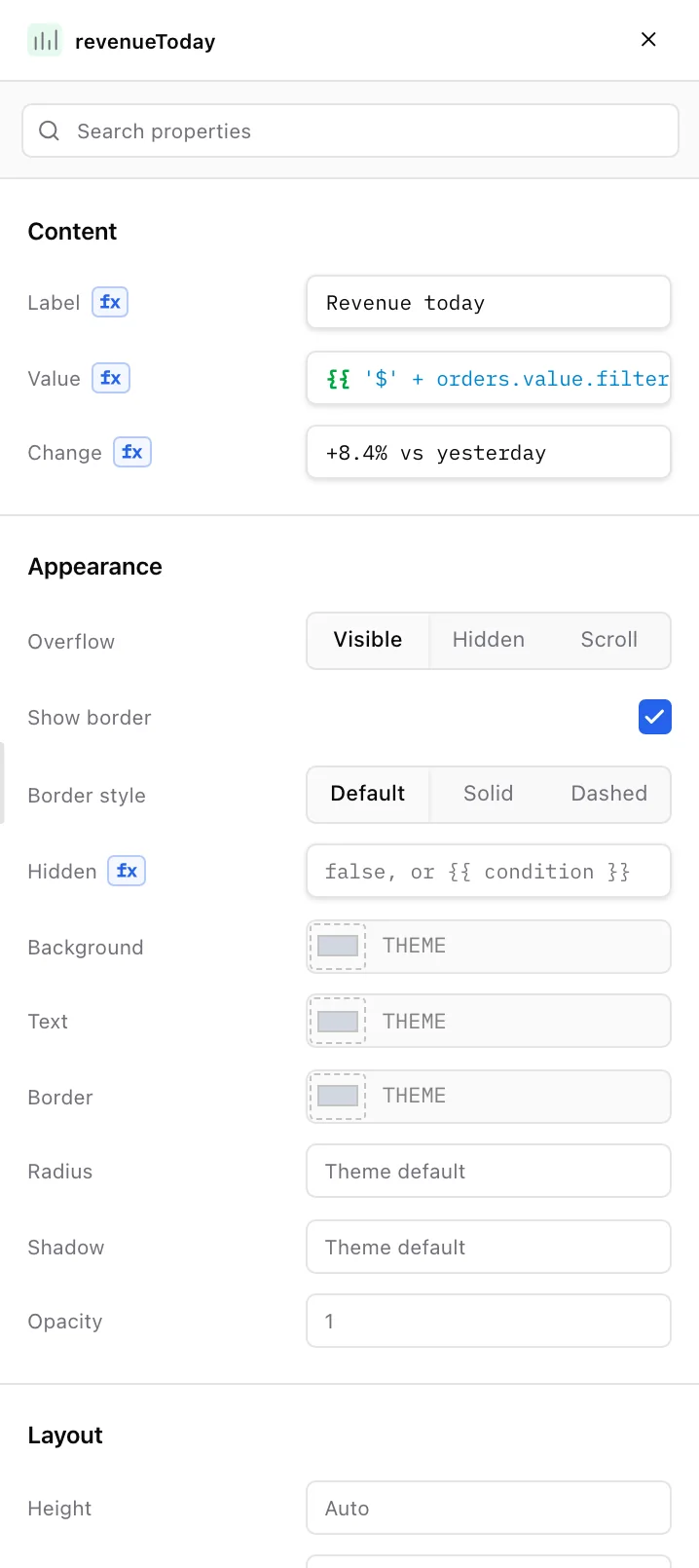
import { LineChart, Stat, Table, Text } from "@partials/sdk/visual"; export default function Screen() { return ( <> <Text text="Order operations" style="heading" headingLevel="h1" width={8} col={0} row={0} rowSpan={5} canvasName="pageTitle" /> <Stat label="Revenue today" value="{{ '$' + orders.value.filter(o => o.status !== 'Refunded') .reduce((sum, o) => sum + o.total, 0).toLocaleString('en-US') }}" change="+8.4% vs yesterday" width={3} col={0} row={9} rowSpan={12} canvasName="revenueToday" /> <LineChart title="Revenue · last 14 days" labels="{{ revenueByDay.value.map(d => d.day) }}" values="{{ revenueByDay.value.map(d => d.revenue) }}" col={0} row={22} rowSpan={38} canvasName="revenueTrend" />Nothing reaches your team until you say so.
Building and publishing are separate. Work on a draft for as long as you like. The published version keeps running until you replace it.
1.Draft
Open the editor and work on a copy. What your users see does not change.
2.Preview
Try the draft exactly as your users would see it. No separate mockup.
3.Review
See every change laid out. Engineers can look it over like any other change.
4.Approve
The right person signs off. Nothing moves without a yes.
5.Publish
Go live in one step. A record keeps who published what, and when.
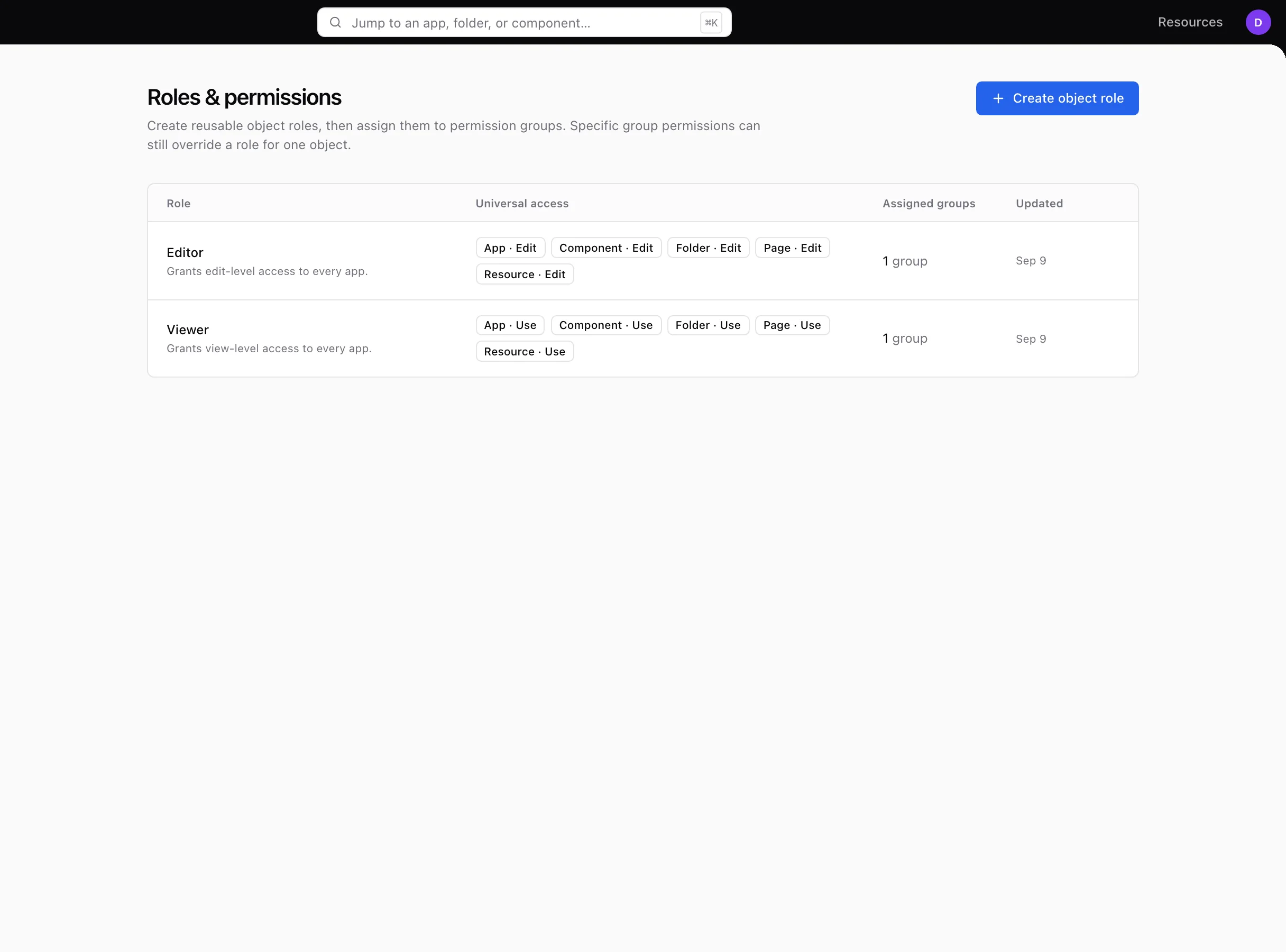
The answers your security team will ask for.
Who can see what. Who changed what. Where the data lives. Partials has a clear answer to each, built in from the start.
Access you control
Give people the right level on each app: use it, approve in it, or edit it. Group by team so it stays manageable.
Sign in the way you already do
Google or GitHub sign-in, or invitations by email. Disable an account and every session ends.
A record of every change
Who changed which app, connection, or permission, and when. Export it when someone asks. Audit logs are on Scale and Enterprise.
Embed it where your team works
Put an app inside another tool your company uses, restricted to the places you approve.
Run it in your cloud, or let us run it for you.
The same product either way. Pick what your security policy prefers.
Self-hosted
Runs inside your own infrastructure, behind your firewall. Your team installs it with the setup files we provide.
Hosted by Partials
We run it, keep it updated, and back it up. You log in and start building.