Build the tools and websites your business runs on.
Partials is a visual builder for internal tools, customer portals, landing pages, and full websites. Your own team builds it, engineers approve it, and it ships in days, not quarters.
- 150+
- real tsx
- your cloud
| Order | Customer | Status |
|---|---|---|
| ORD-31842 | Nadia Haddad | Processing |
| ORD-31841 | Omar El Khoury | Pending |
| ORD-31840 | Lina Karam | Shipped |
| ORD-31839 | Karim Nassar | Refunded |
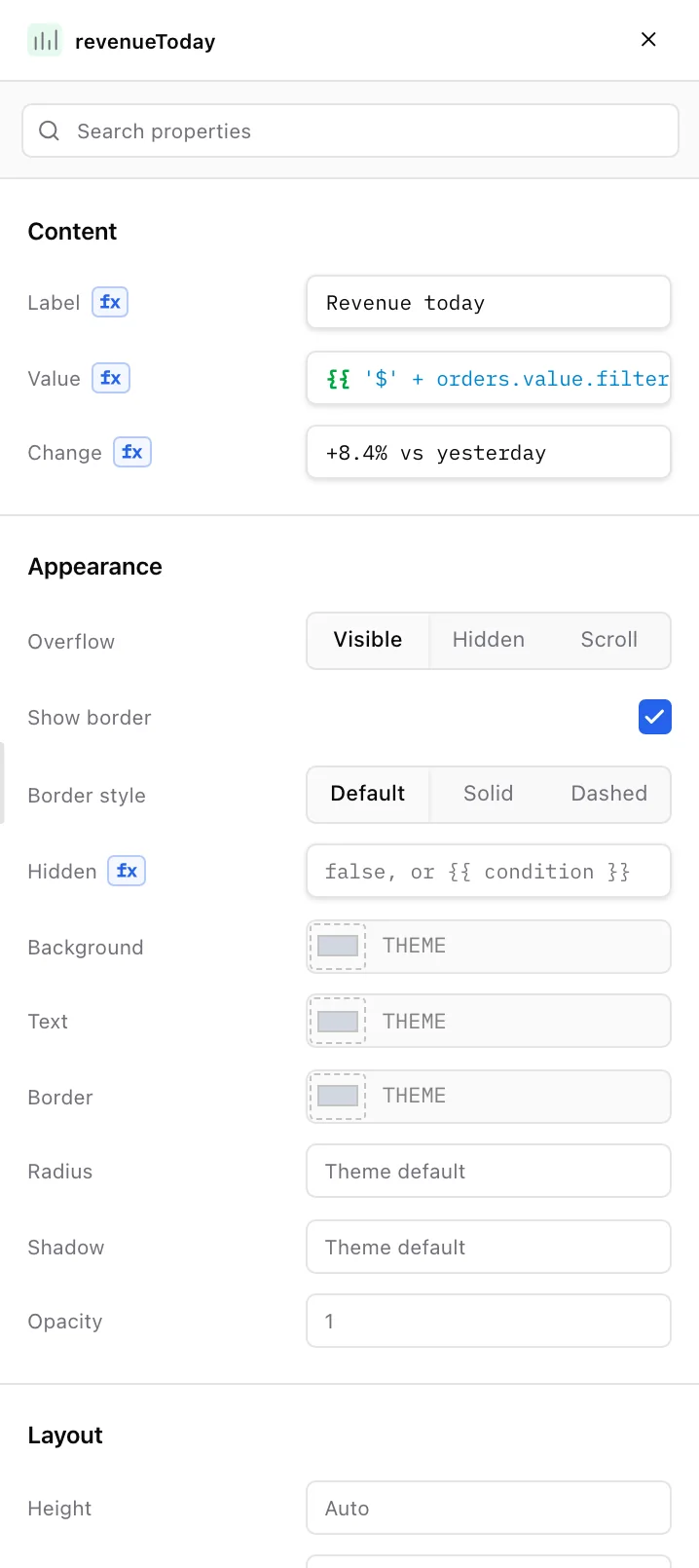
<Stat label="Revenue today" value="{{ '$' + orders.value .filter(o => o.status !== 'Refunded') .reduce((s, o) => s + o.total, 0) .toLocaleString() }}" change="+8.4% vs yesterday" width={4} row={4} rowSpan={12} canvasName="revenueToday"/>What teams build with Partials
- Internal tools
- Customer portals
- Landing pages
- Company websites
- Dashboards
- Approval flows
Real apps and real sites. No engineering backlog.
Every screen below is running in Partials right now, captured straight from the product.
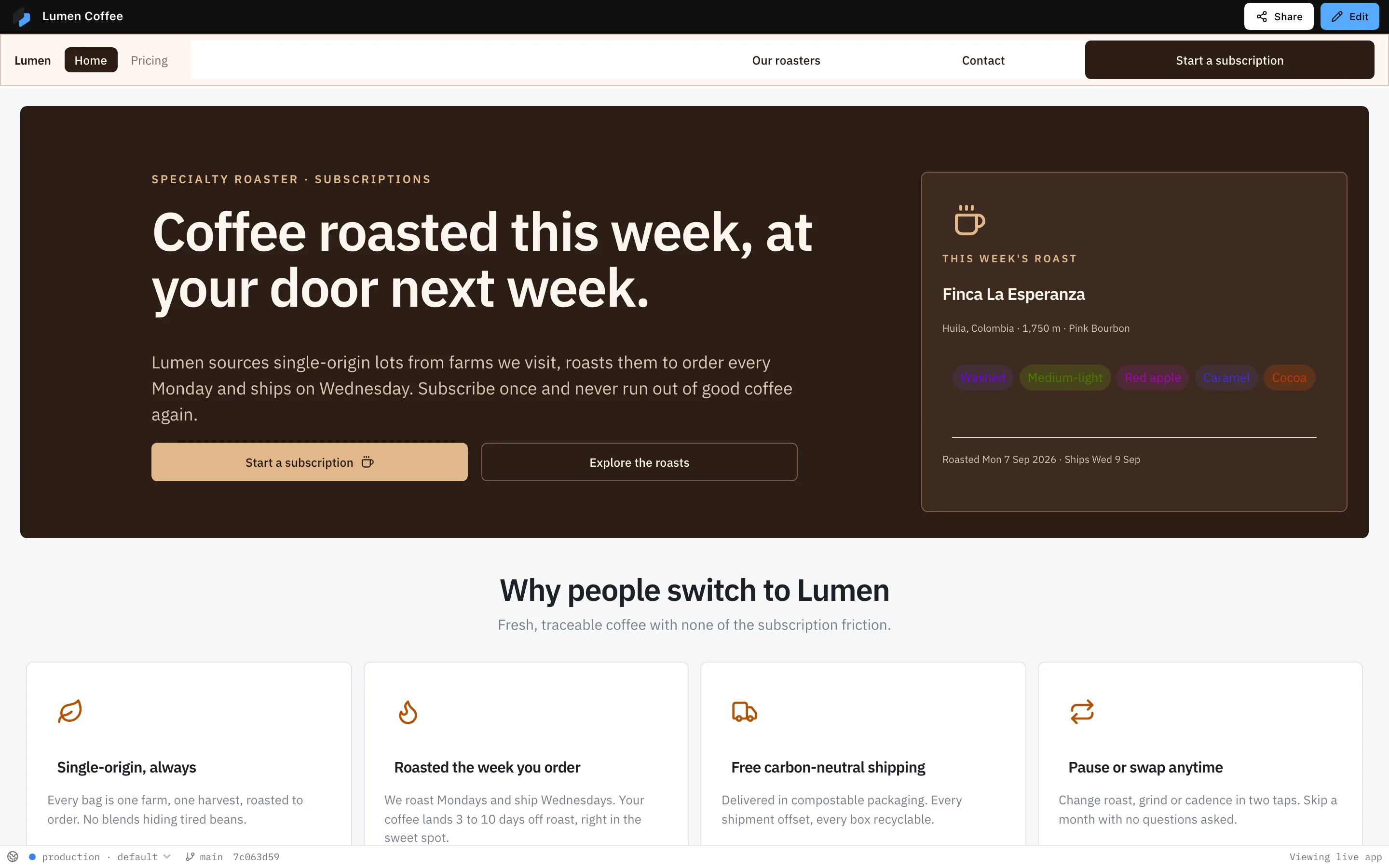
Marketing website 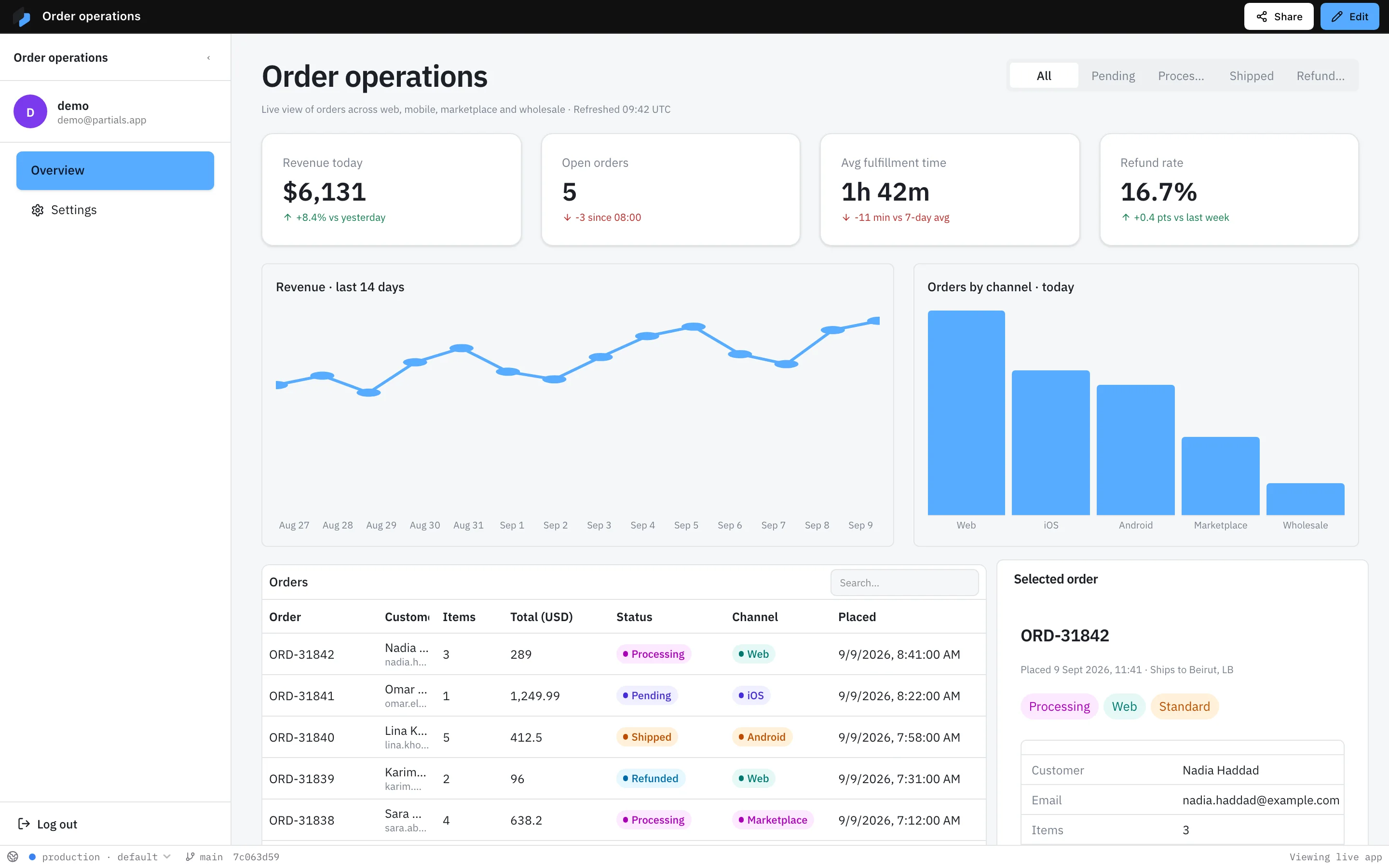
Order operations dashboard 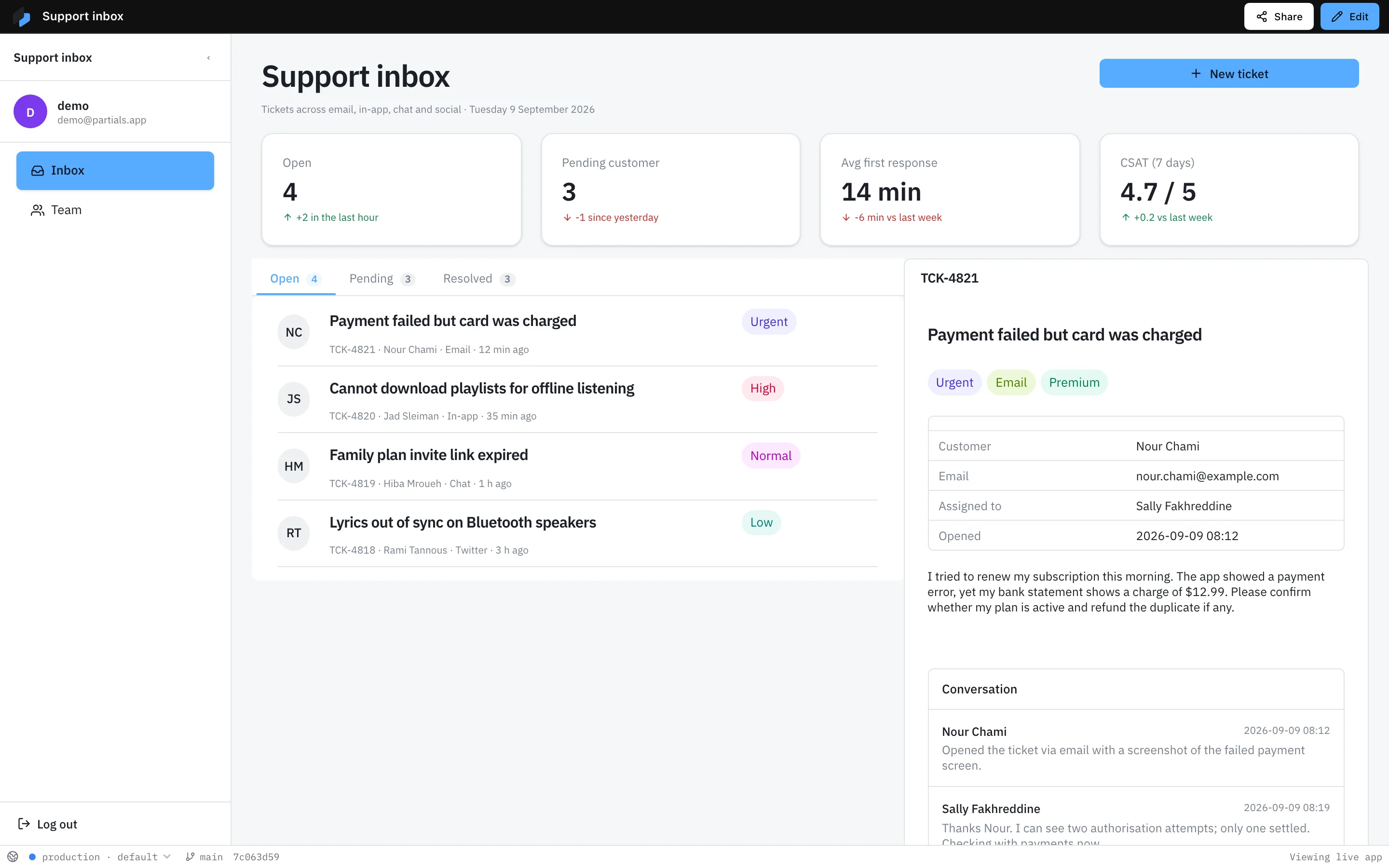
Support inbox 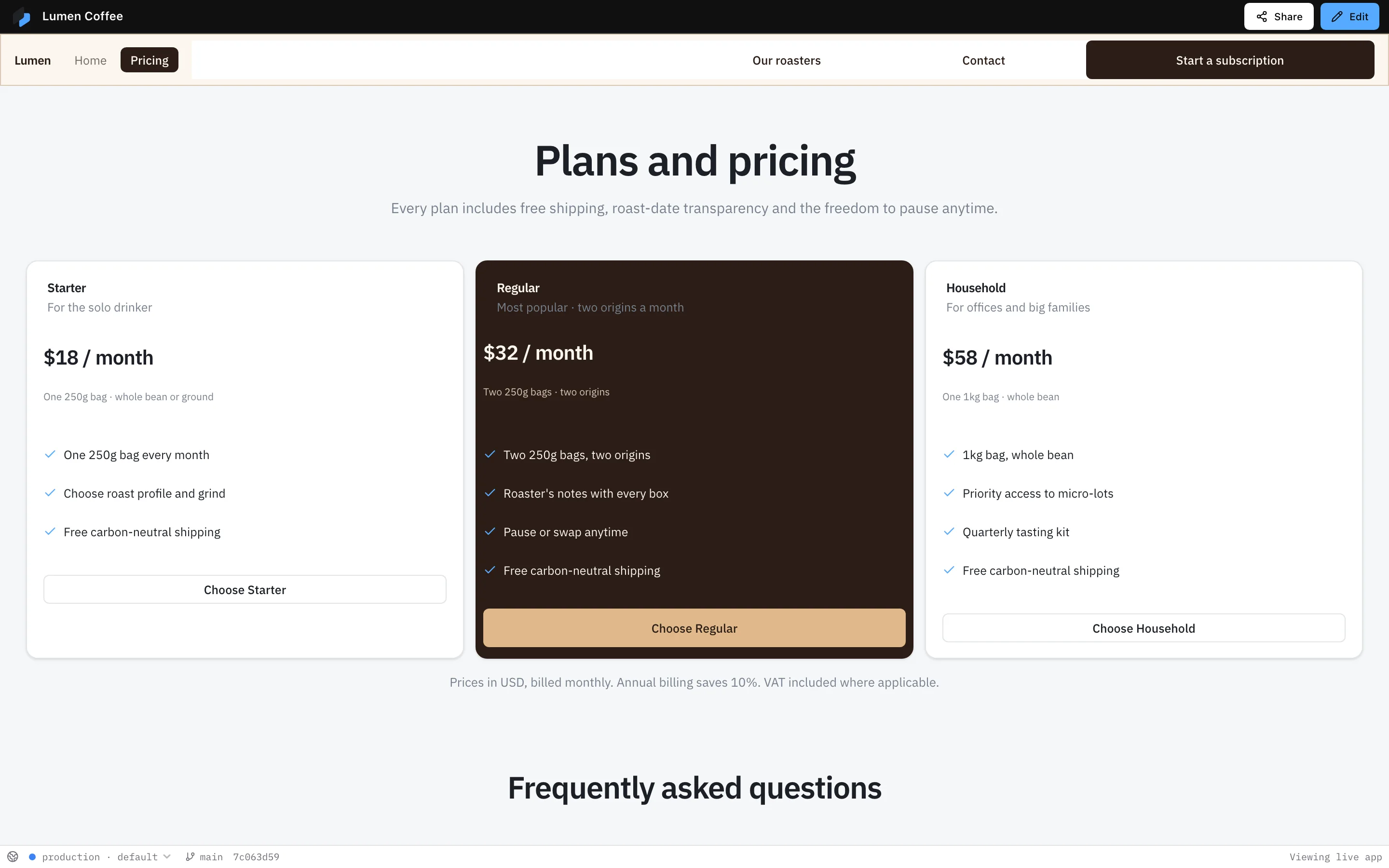
Pricing page 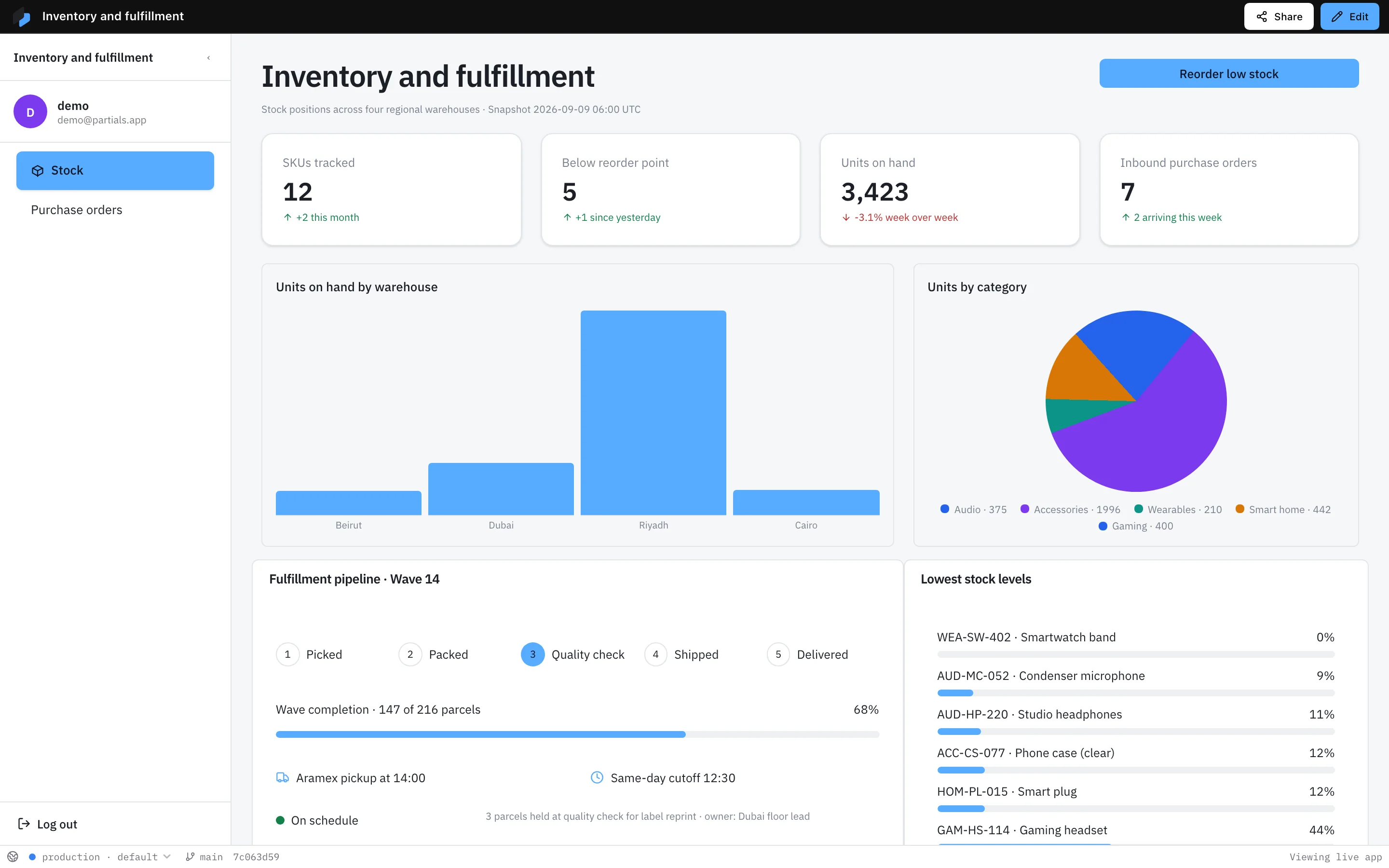
Inventory and fulfillment 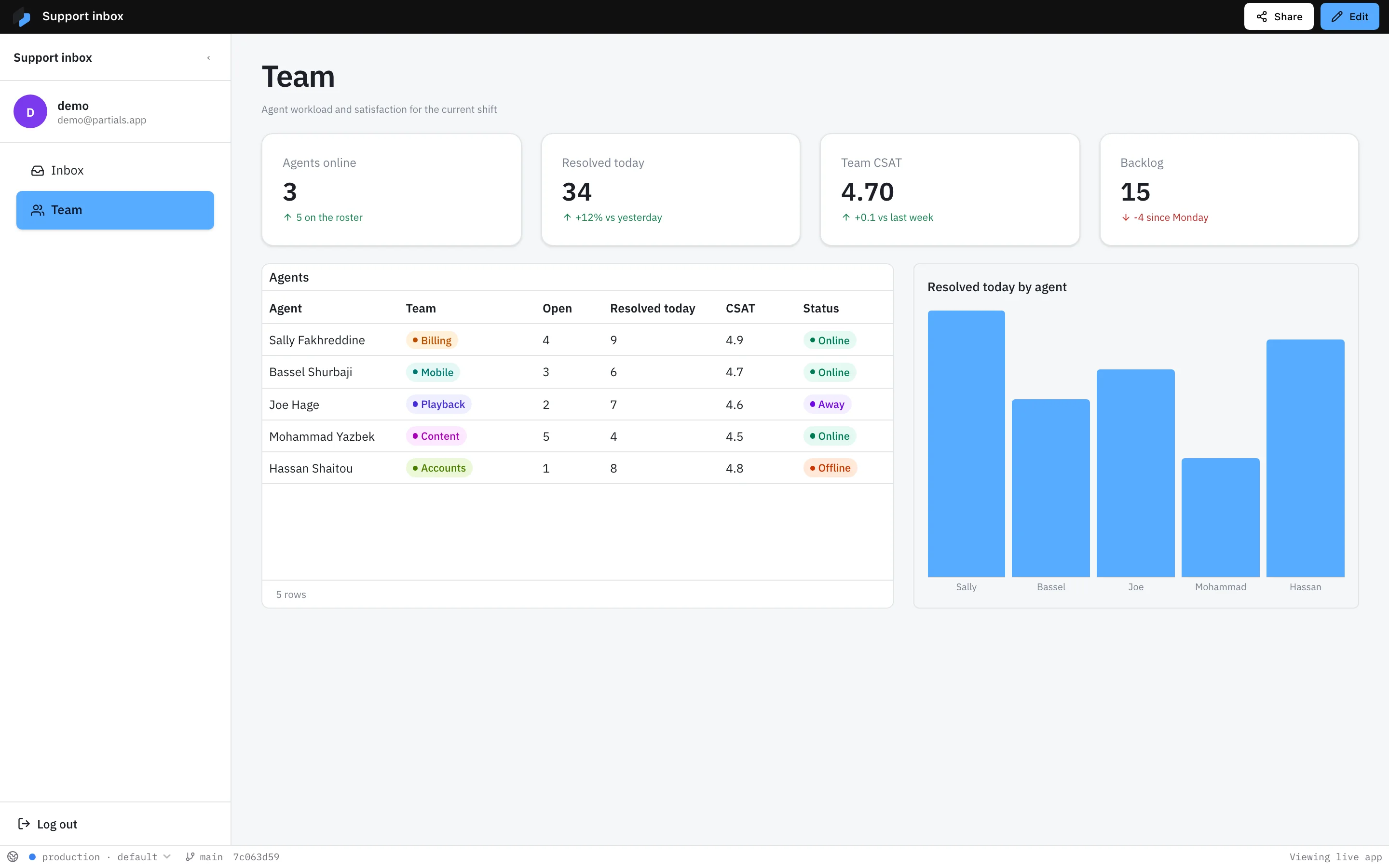
Support team 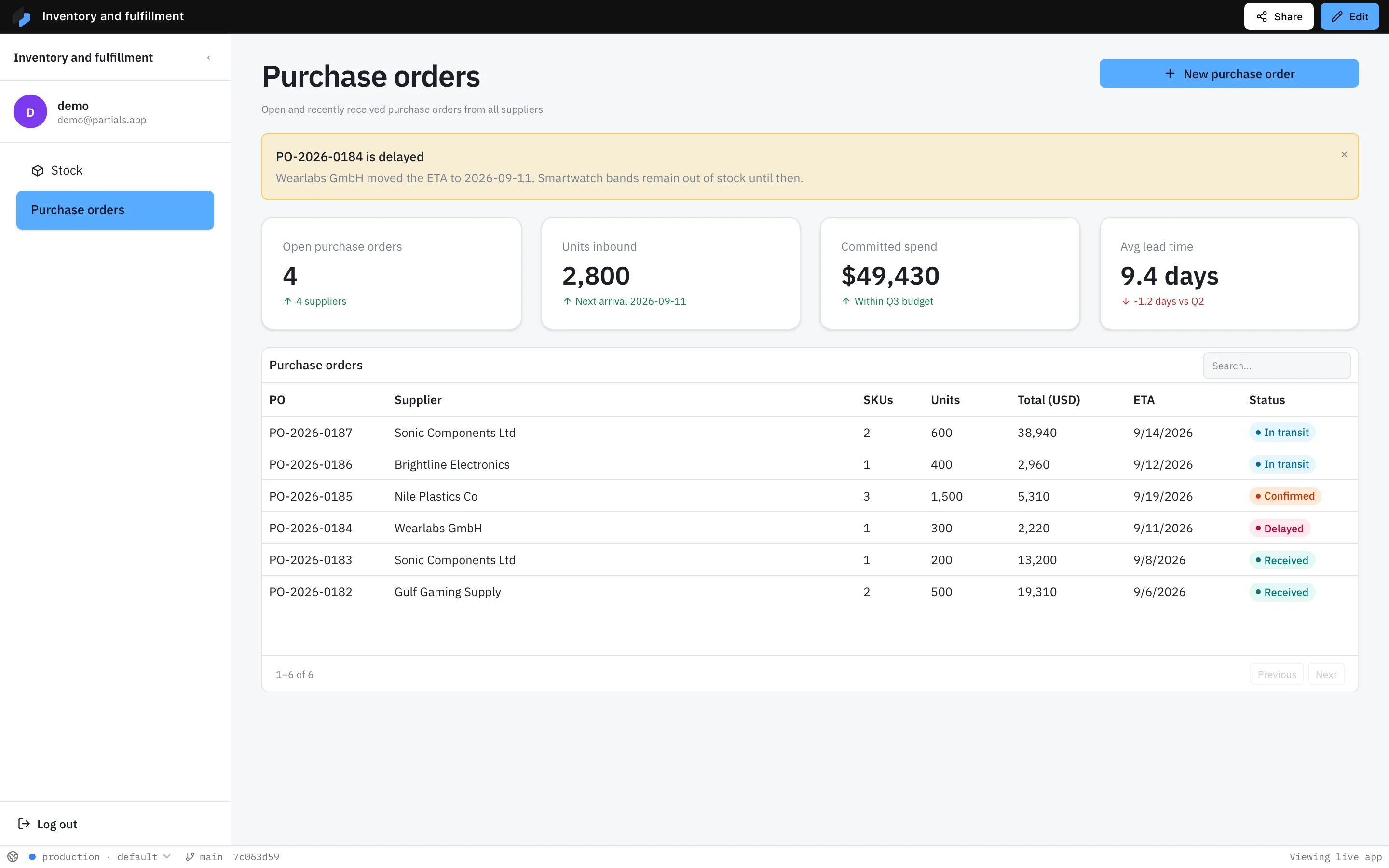
Purchase orders 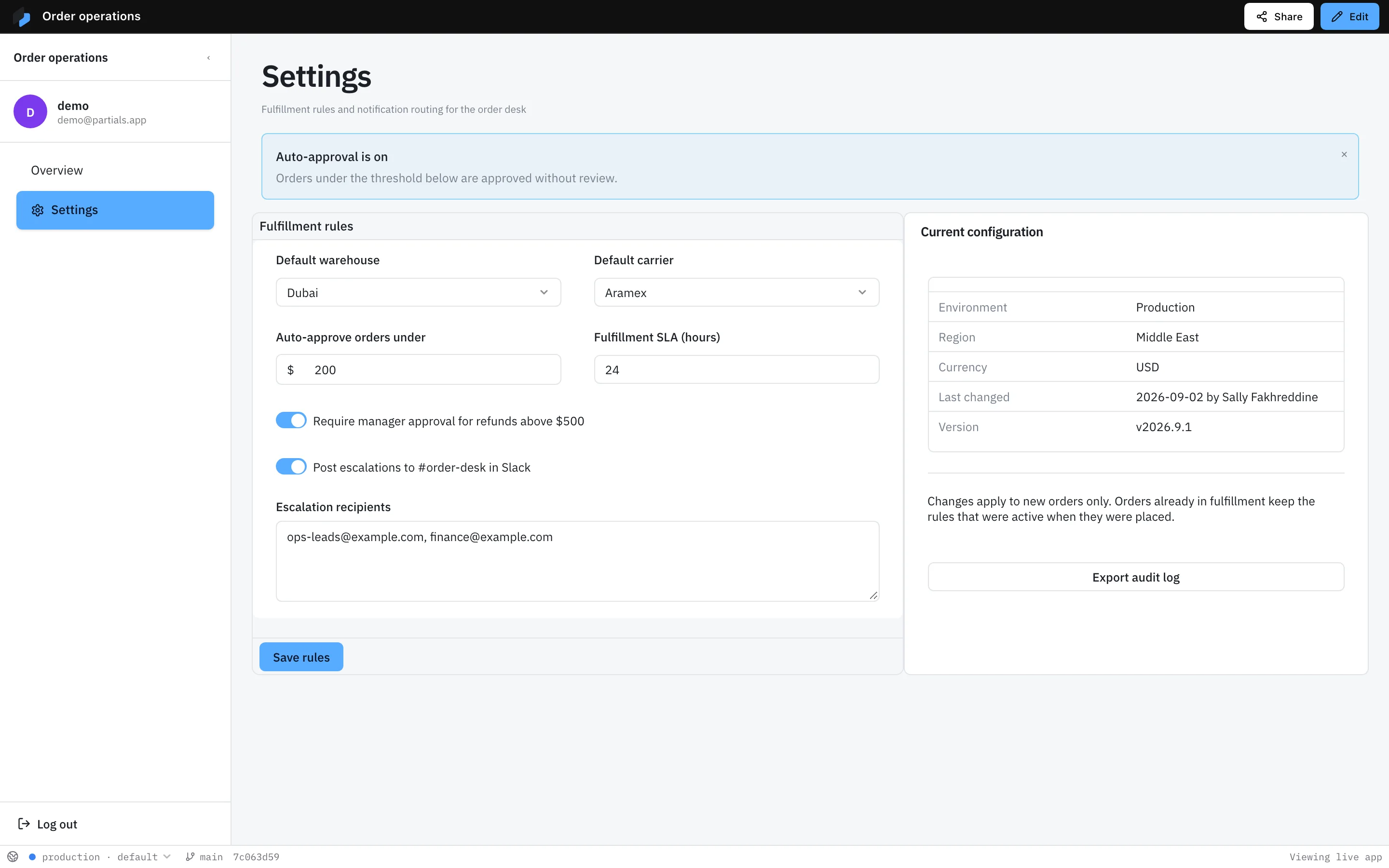
Order settings
Every block on this wall works. Go on, click one.
Tables, charts, forms, calendars, uploads, signatures. One consistent style, so nothing you drop on a page looks out of place.
- switch01
- rating02
- segmentedControl03
- ProcessingWebPrioritytags04
- progressBar05
- Picked
- Packed
- Shipped
steps06- checkbox07
- LiveDraftRefundedstatus08
- switch01
- rating02
- segmentedControl03
- ProcessingWebPrioritytags04
- progressBar05
- Picked
- Packed
- Shipped
steps06- checkbox07
- LiveDraftRefundedstatus08
- Open orders5-3 since 08:00stat09
- button10
- NHOELKKNavatarGroup11
- slider12
- CustomerNameNadia HaddadPlanWholesaleSinceMar 2024keyValue13
- input14
- select15
- dateInput16
- Open orders5-3 since 08:00stat09
- button10
- NHOELKKNavatarGroup11
- slider12
- CustomerNameNadia HaddadPlanWholesaleSinceMar 2024keyValue13
- input14
- select15
- dateInput16
Connect. Compose. Publish.
Three steps, whether it is a dashboard for your team or a website for your customers.
- 01
Connect your data
Point Partials at the systems you already use. Orders, customers, files, whatever runs your business. Credentials stay safe on the server.
- 02
Compose the pages
Drag headers, tables, charts, forms, and buttons onto a page. A dashboard or a landing page, same motion. Stuck on a piece? Describe it and the builder adds it.
- 03
Publish to the right people
Your team, your customers, or the whole internet. Choose who can see, use, or edit. Nothing goes live by accident.
Why teams choose Partials.
One builder for what runs inside the company and what the world sees. Fast to build, safe to sign off, yours to keep.
Your team builds it. No ticket, no waiting.
The people who know the work build the page. A refund desk for support, a landing page for a launch. Every piece is designed to fit together, so it looks right the first time.
Engineers sign off, gladly.
Everything your team builds is real code your engineers can read and review. Nothing is locked inside a tool.
Nothing goes live until you say so.
Work on a draft, see exactly what changed, publish when ready.
Safe with the data behind it.
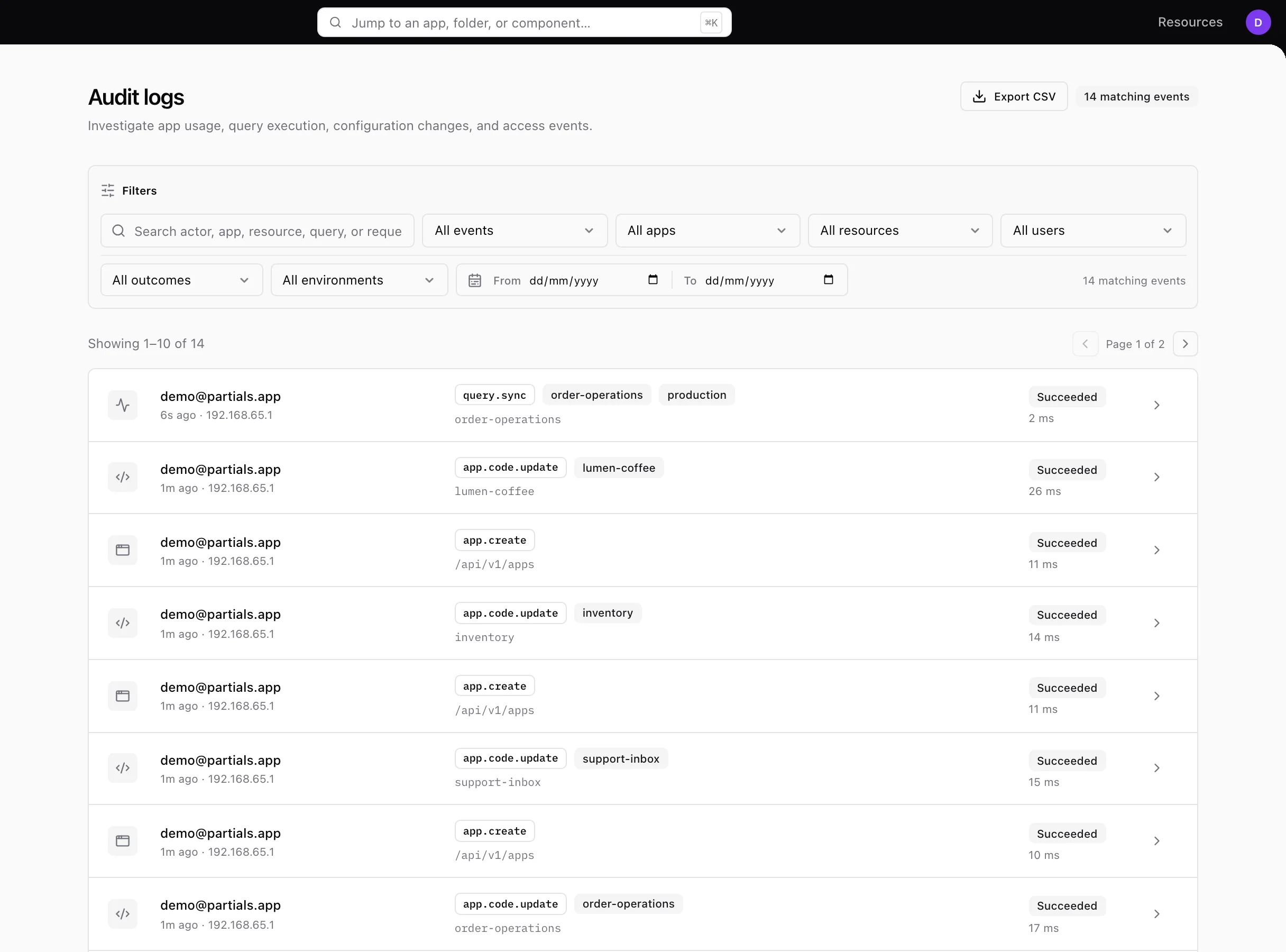
Who can see what is decided by you and enforced everywhere. Every change is logged with a name and a time.
Runs where you want.
Keep it inside your own cloud, or let us host it. Same product either way.
Looks like your company, inside and out.
Internal tools and public pages both feel like something your company made, because it did.
Four teams. One builder.
Marketing, operations, support, and the warehouse each built what they needed, in the same place, from the same data.
The company website
Marketing publishes it on the company domain and changes the message the day the message changes.
Built to be trusted with what matters.
Your tools and sites touch customers, money, and credentials. Partials treats that as the normal case, not an upgrade.
Your data stays yours
Partials connects to your systems. It never copies your data somewhere else.
The right people, the right access
Decide who can use, approve, or edit each app. It holds everywhere, not only on the screen.
A record of every change
Who changed what, and when. Useful the day someone asks.
Credentials stay on the server
API keys and connection secrets are encrypted at rest and never sent to a browser.
See Partials on your own data.
We build a real page live from one of your systems and answer whatever you want to know.